
Home » Login

Secure account access for fast play on mobile, cricket, and JILI slots
Use the JAY9 login to access your account fast on mobile or desktop. Sign in with your phone number or email, confirm the OTP, and you are ready to play. Check live cricket odds, spin JILI slots, and manage bets from a clean, mobile-first dashboard.
Always use the JAY9 Main Site you trust and save it to bookmarks. Match your account name with your payment name, complete quick verification, and keep support responses faster when you ever need help.
Reasons to sign in to JAY9 before your next session
Instant entry with OTP and trusted device options
Save time with one-time codes and remember your device on personal phones for faster access next time.
Cricket-first view tailored to your interests
Pin your leagues so live markets surface quickly. Get to JAY9 cricket picks with fewer taps during match days.
JILI and favorite slots saved for quick spins
Keep your top JILI titles and providers pinned. Continue exactly where you left off without searching.
Live bet tracking, history, and notifications
Review open bets, results, and account alerts in one place. Stay updated while you are on the move.
Verified profile for smoother account support
Complete basic checks so name-on-account matches your payment name. It helps speed up account assistance.
Member-only offers and early market windows
Sign in to see exclusive odds boosts, free spin drops, and time-limited perks before they expire.
Follow these quick steps to sign in securely on any device
- Open your browser and go to the official JAY9 website.
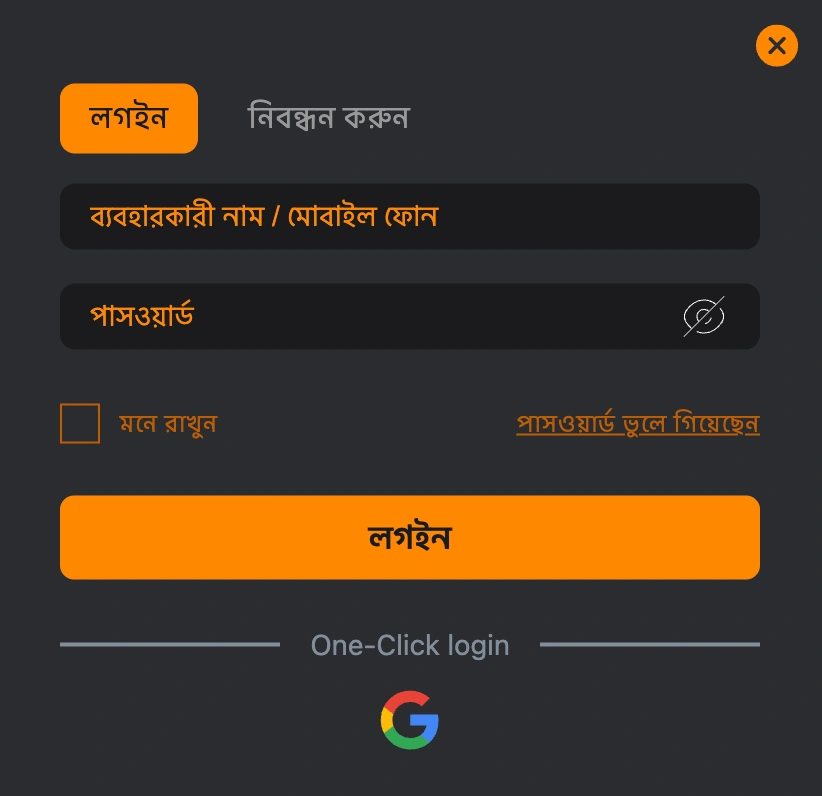
- Tap the Login button at the top of the screen.
- Enter your registered phone number or email and your password.
- Check your phone or email for the OTP and enter it promptly.
- If prompted, confirm two-step verification for added security.
- Tap Sign In to access your account dashboard.
- If you are new, choose Register to create your account before signing in.
Keep your account safe and your login smooth with these tips
Use the JAY9 mobile app on your primary phone for quicker access, optional biometrics, and fewer re-logins on busy match nights.
- Type the correct domain from your bookmarks to avoid lookalike pages.
- Never share passwords or one-time codes with anyone, including “support” in chats.
- Create a strong password with letters, numbers, and symbols; avoid reusing it elsewhere.
- Enable device lock, fingerprint, or Face ID for faster and safer sign-ins.
- Log out on shared or café devices and clear the browser after use.
- Keep your app and browser updated to the latest version.
- Make sure your account name matches your payment account name to prevent holds.

Daily check-in rewards and login streak perks you should not miss
Sign in each day to collect check-in rewards that build over time. Keep a streak and the perks grow, from free spins on JILI titles to boosted odds vouchers on key cricket fixtures.
During event weeks, look for extra missions tied to your sign-in streak. Complete simple tasks after login and watch your JAY9 bonus wallet refresh with vouchers you can use on sports and slots.
Common sign-in issues on JAY9 and how to fix them fast
Incorrect password or account detail typos
Re-enter your phone or email carefully. Use the eye icon to view your password. If you still cannot sign in, tap Forgot Password to reset it.
OTP not arriving or timing out
Check network bars and confirm the correct number or email. Request a new code after the timer resets and avoid multiple rapid requests.
Account temporarily locked after many attempts
Wait a few minutes before trying again. If JAY9 login still fails, reset your password and confirm the new OTP.
Browser or app cache causing loops
Clear cache and cookies, then reopen the site. On app, update to the latest version and try again.
New device or location triggering extra checks
Security can ask for an extra OTP or ID prompt when you switch devices. Complete the prompt to continue.
Scheduled maintenance or poor connectivity
If pages load slowly, it may be maintenance or your connection. Wait a short while and refresh, or switch to a stable network.
FAQ
How do I sign in on my phone?
Open the site on your mobile browser or the JAY9 app, tap Login, enter your details, and confirm the OTP to access your account.
Can I turn on two-step verification?
Yes. Use OTP verification and enable biometric sign-in on supported devices for extra protection and faster access.
I forgot my password. What should I do?
Tap Forgot Password on the login page, enter your registered details, and follow the reset link or OTP to set a new password.
Is it safe to sign in on public Wi‑Fi?
Avoid public networks when possible. If you must use one, ensure HTTPS is visible, do not auto-save passwords, and log out after use.
How do I confirm I am on the official site?
Use your saved bookmark and check the padlock before entering details. You can also search for the JAY9 official site and verify the domain matches your saved link.
Sign in now for faster play and support whenever you need it
Ready to access JAY9 account features built for mobile speed? Sign in to place smarter cricket bets, spin JILI favorites, and claim your daily rewards.
New to JAY9 and not signed up yet? Tap JAY9 Register, create your profile in minutes, and start your session with a verified, mobile-ready account.