
Home » Download

Your fast, secure path to the official JAY9 app on mobile
Get in fast on matchdays with a simple JAY9 app download. Built for BD mobile habits, it loads quickly on 4G, keeps login effortless, and pushes timely alerts for cricket odds and JILI slots—straight from the source you trust.
Android users can install via APK from the official link. iPhone users can add the app to Home Screen for app-like access with notifications via browser prompts. Everything is tuned for short sessions and quick decisions on the go.
Why the JAY9 app makes daily play faster, safer, and easier on mobile
The app cuts friction: fewer page loads, quicker odds refresh, and safer sign-ins. It’s purpose-built for busy days when cricket is live and every second can count.
Live cricket markets two taps away
Open, pick the match, and place your bet with minimal steps. Odds refresh efficiently, keeping you close to the action during powerplays and death overs.
Lightweight data use and faster odds updates
Compressed assets mean less waiting on 3G/4G. Core markets load first, so you can lock selections before lines move.
Stronger sign-in with device binding and biometrics
Stay protected with verified devices plus fingerprint or Face ID on supported phones. Short, secure sessions keep your account safer on shared networks.
Quick access to JILI slots and popular table games
Jump into JILI slots or switch to tables in seconds. Favorites and recent games sit up front for rapid relaunch.
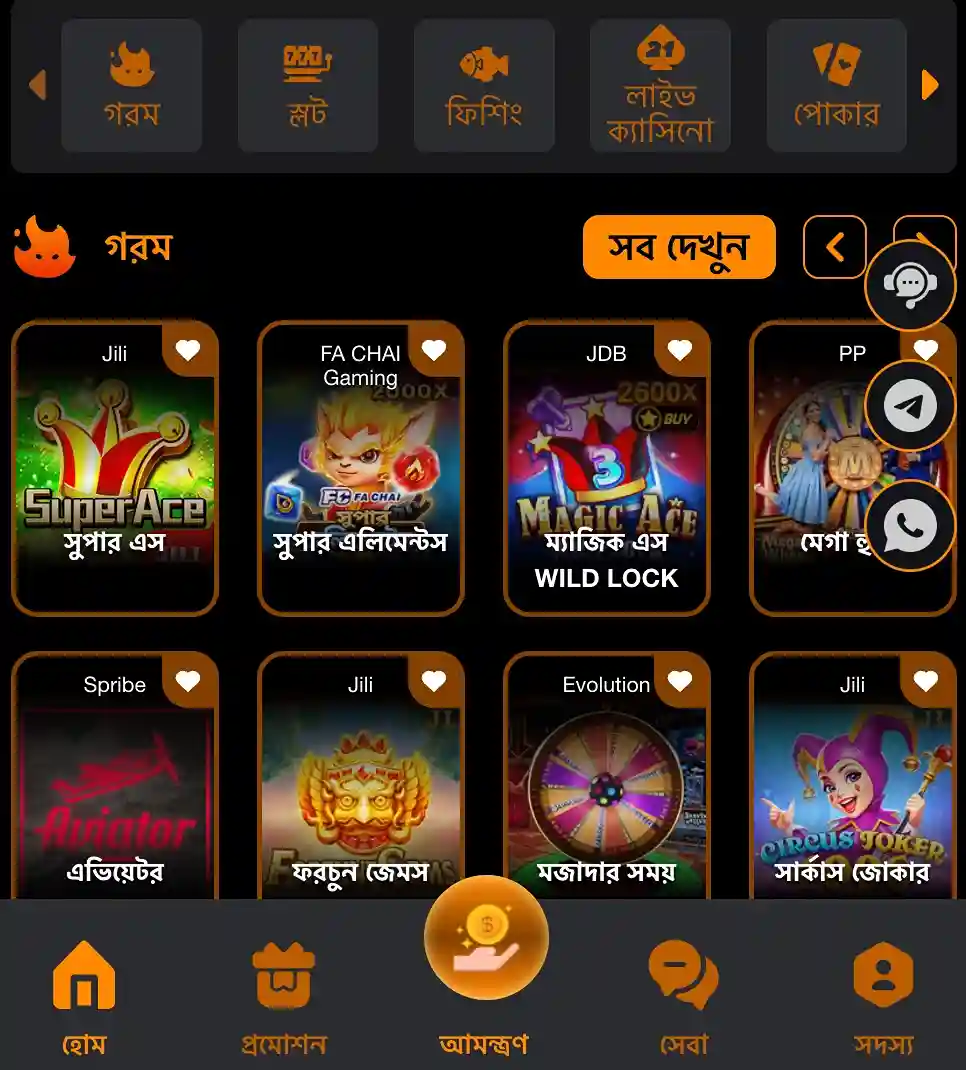
Step-by-step guide to get the app on Android and iOS devices
- Open your mobile browser and visit the official JAY9 site from a trusted link.
- Tap the Download option for Android to get the APK file to your phone.
- Confirm the browser download. Wait for it to finish before opening the file.
- When prompted, allow installs from this source for the current session only.
- Tap Install. After completion, open the app and sign in to your account.
- If you are new, complete account verification before making any transactions.
- For iPhone, open the site in Safari, tap the Share icon, then Add to Home Screen.
- Launch the new Home Screen icon. Sign in, allow notifications, and keep your device updated.
Essential mobile features built for low data use and fast decisions
Faster loads with a compact build
The app prioritizes speed. Pages open quickly even on spotty connections, so you can check odds without delay.
One-tap login with biometric support
Use fingerprint or Face ID on supported devices to re-enter quickly. Session timeouts add safety without slowing you down.
Cleaner navigation focused on live markets
The layout highlights live cricket by default. Menus stay simple, with search and favorites always within reach.
Smart alerts you control
Get updates for price changes, bet results, and key match moments. Mute or fine-tune alerts per league or game.
Instant shortcuts to JILI slots and game lobbies
Pin your top JILI titles for faster relaunch. Switch from sports to casino and back with minimal taps.

App-only perks, reload offers, and smarter alerts for active players
Expect periodic perks for installing and betting through the app, such as reload boosts or early access to cricket campaigns.
Turn on notifications to hear about time-limited deals as they drop. Some offers may require opt-in inside the promo page.
From time to time, you may also see a JAY9 bonus exclusive to app users.
Safe installation, official sources, permissions to expect, and update best practices
Always download from the official site link. Avoid third-party stores or file-sharing groups.
On Android, expect prompts for install permission. Approve for this session only and keep Play Protect active. On iPhone, use Add to Home Screen in Safari.
Verify your account inside the app. For smoother transactions, your account name should match the name on your chosen payment method.
Keep auto-updates on. If a new build is required, the app will prompt you before any change and guide you safely.
Use strong lock-screen security, sign out on shared devices, and avoid public Wi‑Fi for sensitive actions.
Frequently asked questions about downloading, installing, and using the JAY9 app
Is the app free to install?
Yes. The app is free. Only download from the official site to avoid modified files.
How do I allow Android installs for the APK?
After tapping the APK, your phone will ask for permission. Allow installs from this source for the current session, then proceed.
Is there an iOS version in the App Store?
Use Add to Home Screen via Safari for an app-like experience. If a native iOS version becomes available, follow the on-screen prompts.
How are updates handled?
Android users will see an in-app prompt when a new build is ready. iPhone Home Screen users receive updates automatically on refresh.
Why can’t I sign in?
Check your username, password, and network. Ensure your device time is set automatically. If needed, reset the password or contact support.
Start now with the official app and play smarter on every matchday
Ready to go? Use JAY9 Main Site to grab the official link and install with confidence. Fast access, better alerts, and a layout built for mobile are waiting.
New here? Complete JAY9 Register, then start your JAY9 app download and sign in. Set your alerts, pick your cricket markets, and keep JILI favorites one tap away.